
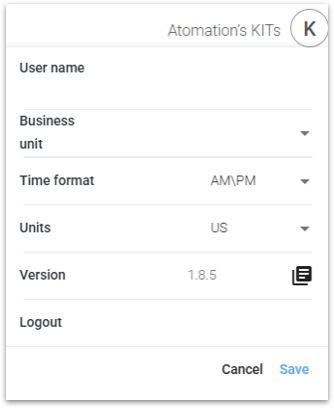
Once a user has logged in, there are a few universal account settings that can be changed to support user preferences.
Clicking on the letter in the top right of the dashboard opens the Account Settings window.
Depending on the user, the option to navigate between business units is available as a drop down. This menu allows users with multiple business units to navigate between them without logging out and back in. Click the drop down under Business Unit and select the appropriate Business Unit.
This window shows the user name for the account and the associated business unit (if applicable).
Users can then select their preferred:
- Time format (AM/PM or 24H)
- Units (US or Metric)
Click Save in the bottom right corner to save your changes. Preferences will not be updated until Save is clicked in the lower right corner.