NOTE: Only Account Administrators have access to the Atom Management section of the dashboard. If you do not see the management icon in your dashboard (located at the bottom of the left hand navigation panel), please contact your Account Administrator for access.
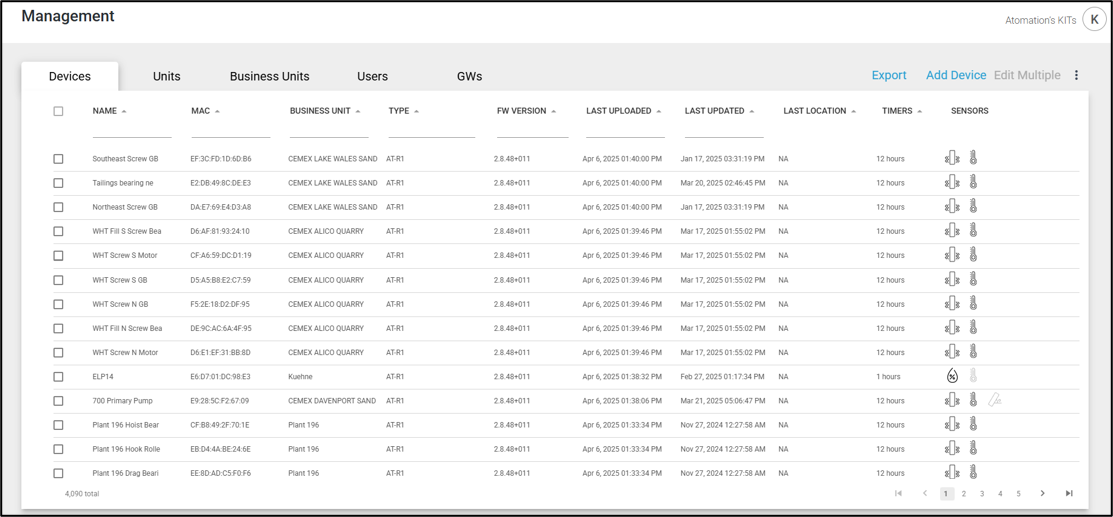
There are five tabs in the Management section of the dashboard.:
- Devices – The Devices tab contains a list of all AT-C, AT-R and AT-U device types in your account. Gateways are not included in this list.
- Units – Units are defined as the combination of sensing and communication capability and can be one of two things:
- AT-R and AT-C device types linked to Gateways
- Stand-alone (AT-U) device types
- Business Units – Business Units are the different company divisions available.
- Users – all people that have access or can receive alerts for the account
- Gateways – The Gateways tab lists Gateways and Stand-Alones (AT-U) in the account.
This manual includes a section for each.