
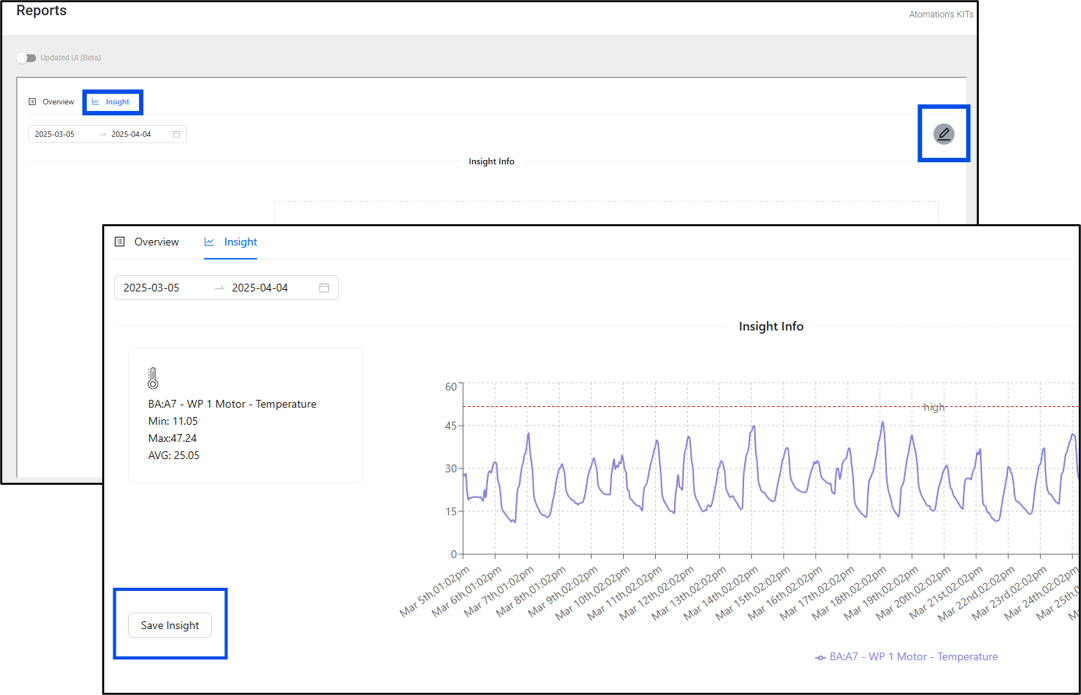
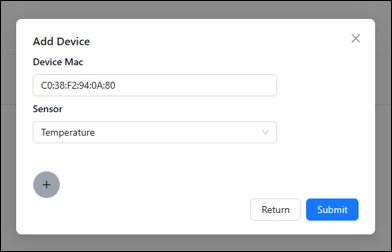
To create a graph, click on the pencil icon on the right, type in either the MAC ID or the Device Name, select the sensor you wish to view, and click Submit.
The graph will now show any available data for the device and sensor selected.
Users can also edit the time frame they wish to view by clicking on the dates on the top left of the screen.
Should the user wish to save this graph and view it on the Overview tab, simply click on the “Save Insight” button on the bottom left of the screen.
The user also has the option to make the graph private or share it with all users by clicking the checkbox “Is Insight Private?” when saving the Insight.